Android · Free · No ads · No sign-in

Downloads that fly.

Aero Downloader splits every file into up to 32 parts, pulls them over Wi‑Fi and mobile data at the same time, and carries on from where it stopped. Aero Glide, the built-in browser, blocks ads and finds the videos and files on any page.

Torrents & magnets Watch while it downloads English & हिन्दी Material You
Aero Downloader
2 active · 3.2 MB/s
Turbo off
Wi‑Fi only. Tap the switch to add mobile data
3.2MB/s combined
Wi‑Fi 3.2 MB/s Mobile off
Active · 2Pause all
bbb_sunflower_1080p.mp4
93.1 MB of 338.6 MB · 3 min left
27%▶ Play now16 partsWi‑Fi
ubuntu-26.04.1-desktop-amd64.iso
1.62 GB of 5.9 GB · 22 min left
27%32 partsWi‑Fi
0
parts per file, free
0
networks at once: Wi‑Fi + mobile
0
ads, sign-ins or trackers
0
Indian languages for Translate page

Turbo

Wi‑Fi and mobile data, at the same time.

Turbo splits a file into parts and pulls some over Wi‑Fi and some over mobile data. The faster link takes more parts. It helps most when Wi‑Fi is slow or crowded, or when a server limits each connection. Mobile data is used only when you turn Turbo on, and only up to the daily budget you set.

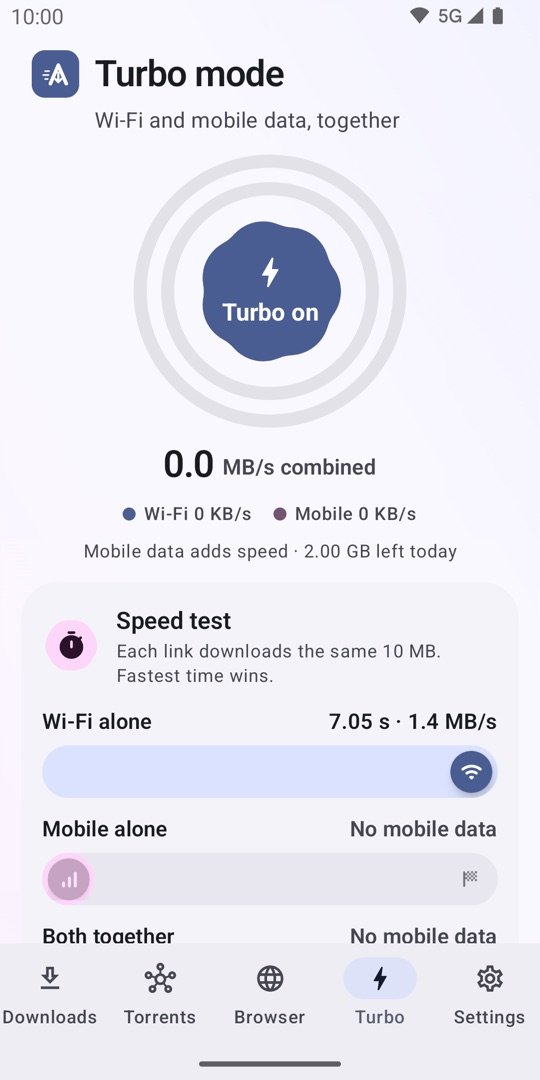
The time trial, like the app's speed test

Each lane downloads the same 10 MB. Set the speeds you usually get and press Run. Fastest time wins.

Wi‑Fi aloneabout 7.1 s
Mobile aloneabout 10.0 s
Both togetherabout 4.4 s

One file, 32 parts, two roads

Every part is fetched on its own. With Turbo on, blue parts come over Wi‑Fi and pink parts over mobile data. A part that finishes early hands its slot to the next one, so the fast link never waits for the slow one.

Wi‑FiMobile dataDone

A daily data budget

Set how much mobile data Turbo may use per day. When it is used up, downloads carry on over Wi‑Fi only. The budget resets at midnight.

Rules you control

Only when Wi‑Fi is slower than 10 MB/s. Never while roaming. Ask before a download over 500 MB uses data. Turn off below 20% battery unless charging.

Proof on your own phone

The Turbo tab's speed test downloads the same bytes three ways and shows the real gain. Some servers are the bottleneck, and the test tells you so instead of guessing.

Everything included

A download manager, a browser and a player. No paid tier.

Every feature below is in the free app. Tap a card to read how to use it in the guide.

Downloads that don't break

Pause and resume any time, even after a restart or an app update. Retries by itself when a server or the network fails. Link expired? Paste a fresh link and the same file carries on. Offline? Downloads wait and start again when you're back.

Managing downloads
Aero Glide: the browser that catches files

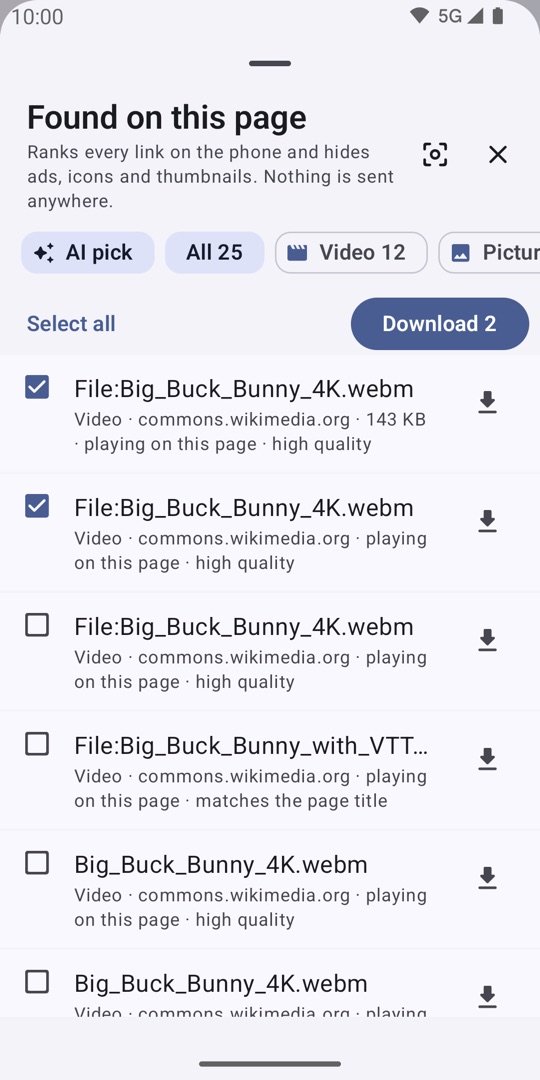
Blocks ads, trackers and crypto miners on the pages you open. Finds the videos, music, pictures and files on a page, ready to tick and download at once. Stops pop-ups, hides cookie banners, translates into 12 Indian languages, saves pages as PDF or for offline reading, pops video out when you leave the app, and keeps private tabs and a Quick wipe one tap away.

Ad blockerFound on this pagePop-up blockerPrivate tabsTranslateSave pagePop-out videoSleeping tabsBookmarks import
Try it below

Watch while it downloads

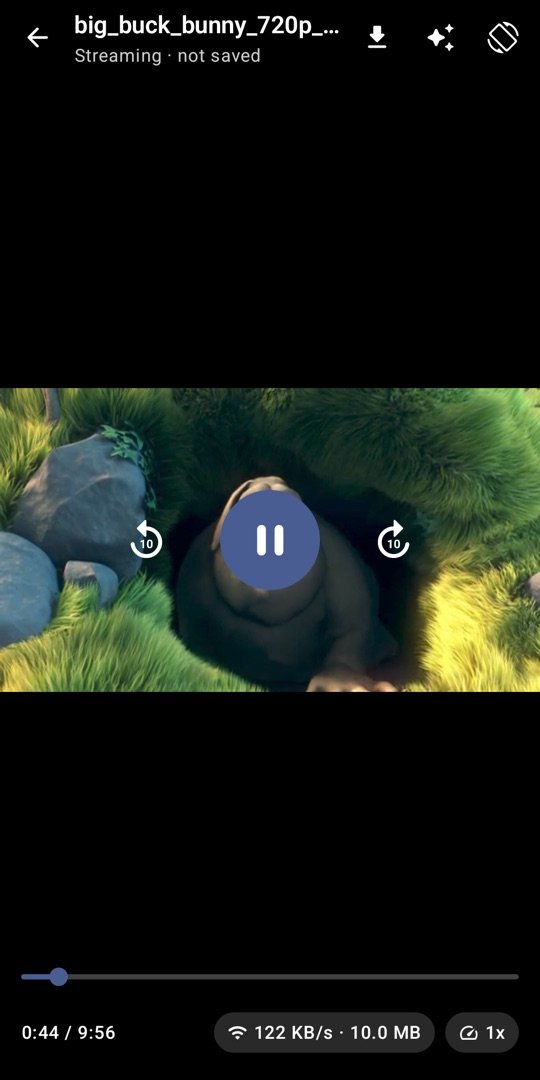
The built-in player starts a video while the file is still downloading. Volume boost up to 200% and more, picture enhancement, audio and subtitle tracks. "Just watch" plays a link without saving it.

The player

Torrents and magnet links

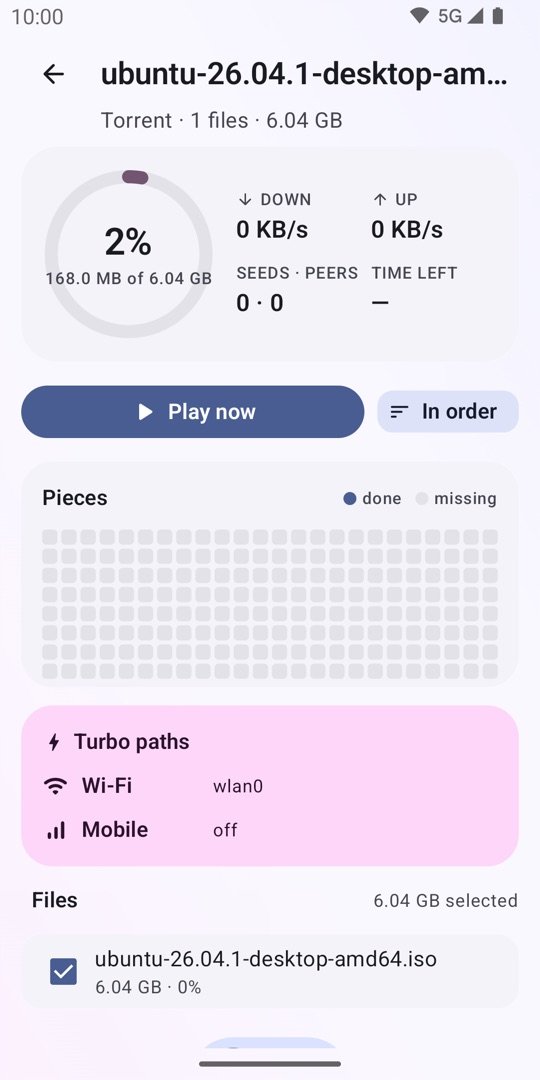
Open magnet links and .torrent files from anywhere. Download in order and watch a video torrent while it arrives. Upload limit, sharing ratio, encryption and DHT in Settings.

Torrents

Easy to add, easy to find

Copy a link and Aero offers to download it. Share from any app, tap a file link, or use the Quick Settings tile. Paste many links, import a .txt list, or type a pattern like photo[001-200].jpg. Files are sorted into folders by type.

Five ways to add

Automation and control

Start at a set time, only on Wi‑Fi, or only while charging. A download window runs downloads at night. Pause when the battery is low. Speed limit, proxy, custom user agent, site passwords, backup and restore.

Automation

Private by design

No login, no tracking, no ads. Nothing leaves the phone except your downloads. A private folder, hidden from the Gallery and locked with your fingerprint, for the files you keep to yourself.

Privacy policy

Made for your phone

Material You colours from your wallpaper, dark mode, English and Hindi. A layout that adapts to tablets and foldables. A short animated tour on first start, and it opens on Downloads or the browser, whichever you use most.

Getting started

Aero Glide browser

Load a page. Watch the ads vanish and the files appear.

This is a model of what Aero Glide does on every page: the shield in the address bar counts the ad and tracker requests it dropped, the cookie banner is rejected for you, and the sparkle lights up with the videos and files it found. Tap the sparkle to open the Found sheet, tick what you want, and download them all at once.

  • Blocking works only inside Aero Glide, never in other apps.
  • Long-press any link, picture or video for Play, Download, Copy and Share.
  • Every download a page starts comes to Aero with Turbo speed.
Browser guide
Short Films Weekly
soundtrack.flac 48 MB
making-of.pdf 3.1 MB

Found on this page

Ranks every link on the phone and hides ads, icons and thumbnails. Nothing is sent anywhere.
AI pickAll 3Video 1Audio 1Documents 1
Download started
0 shortfilms.example/weekly

Adding a download

Five ways in. All of them end in the same Add sheet.

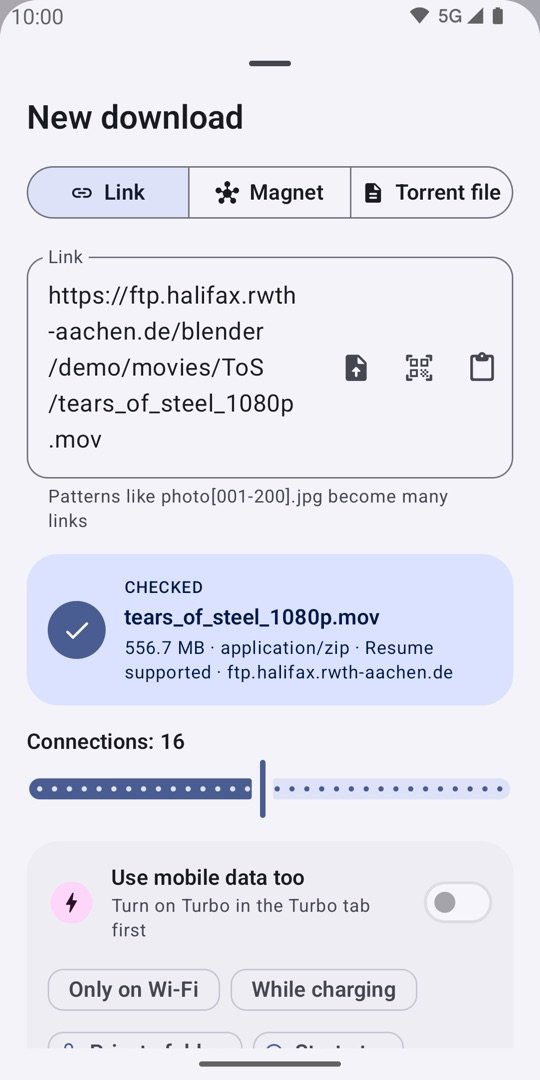
The Add sheet checks the link first (size, type, whether the server supports resume), lets you pick the number of connections, and offers Only on Wi‑Fi, While charging, Private folder and a start time.

Share from any app

The fastest way from Chrome, WhatsApp, Telegram or any app that has a Share button.

  1. Tap Share on the link or page.
  2. Pick Aero Downloader in the share sheet.
  3. The Add sheet opens with the link filled in and checked. Tap Download.

A web page instead of a file? The sheet says so and offers Open in browser: any download that page starts comes back to Aero.

Screenshots

Every screen, from the real app.

Swipe through. The colours follow your wallpaper on Android 12 and newer; these are the default blue.

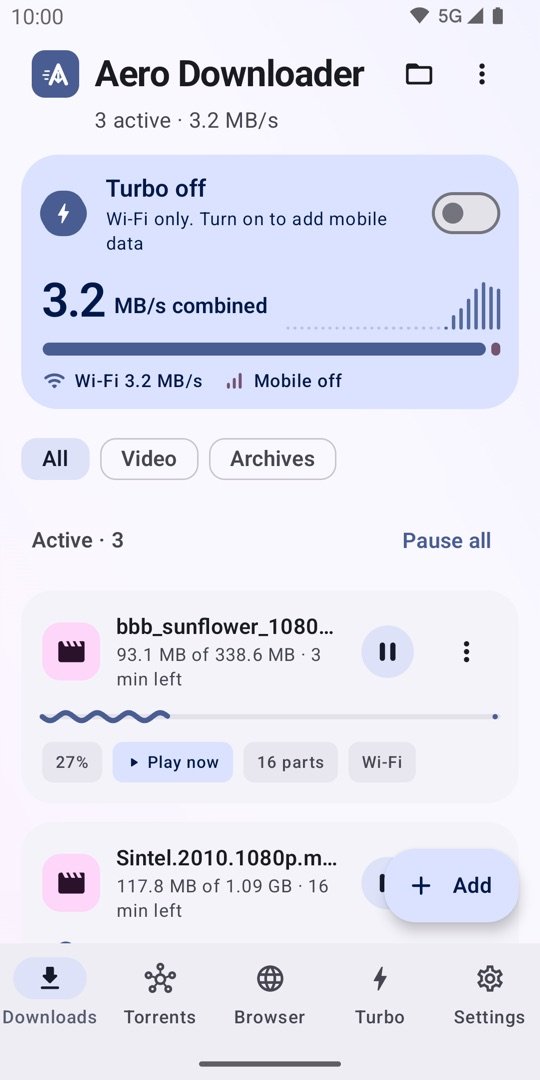
Downloads screen: the Turbo card shows 3.2 MB/s combined over Wi‑Fi, with two videos downloading in 16 parts and a Play now chip
Downloads with the Turbo card
New download sheet: Link, Magnet and Torrent file tabs, the checked link with size and resume support, a connections slider at 16, and options for mobile data, Wi‑Fi only and charging
The Add sheet checks the link first
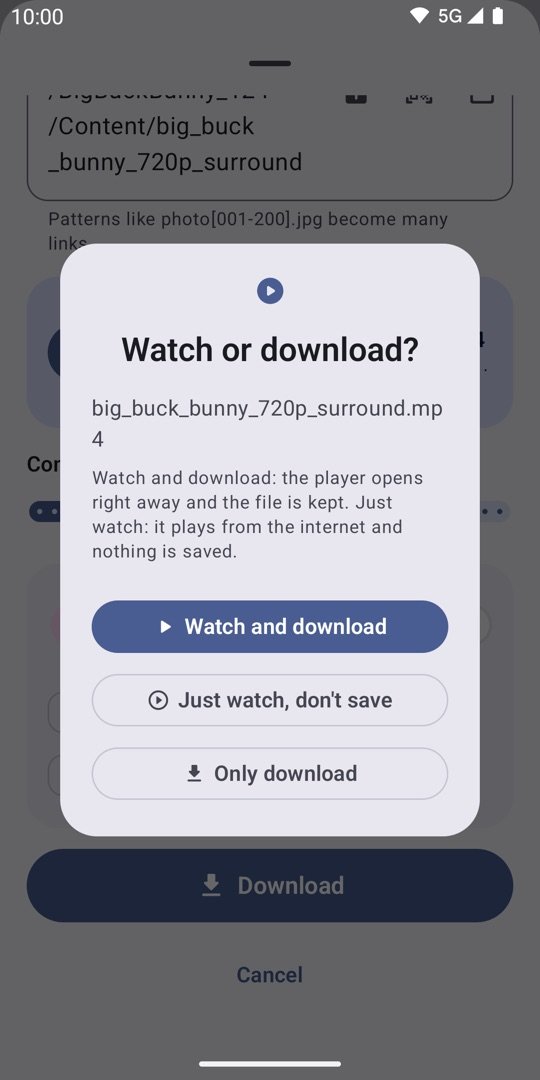
Watch or download? dialog with Watch and download, Only download, and Just watch, don't save
Watch or download?
Turbo mode screen: a Turbo on button inside speed rings, combined speed, and the speed test with Wi‑Fi alone, Mobile alone and Both together lanes
Turbo and the speed test
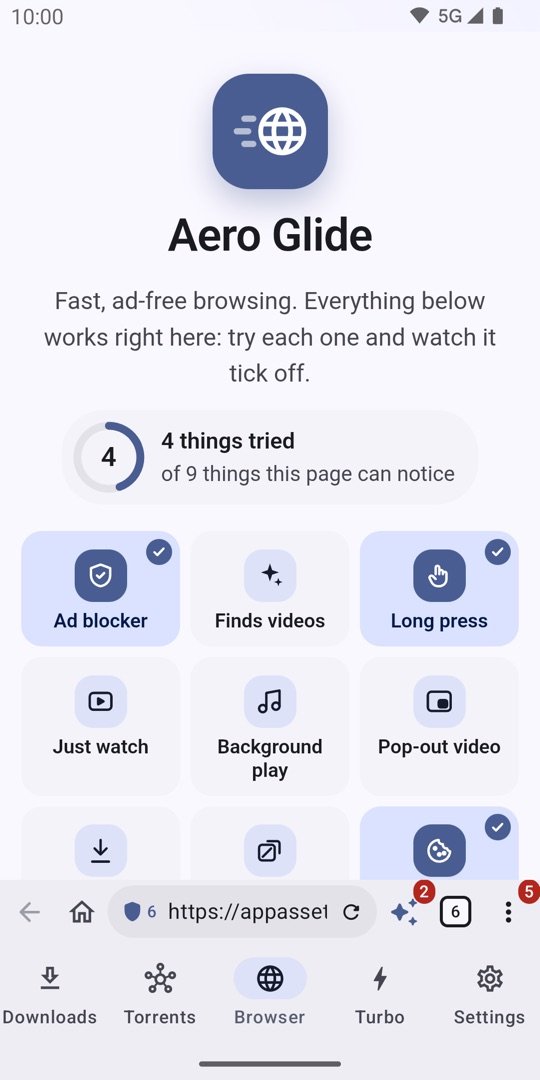
Aero Glide start page with the feature tiles Ad blocker, Finds videos, Long press, Just watch, Background play and Pop-out video, and the address bar at the bottom showing a shield count of 6
Aero Glide's start page
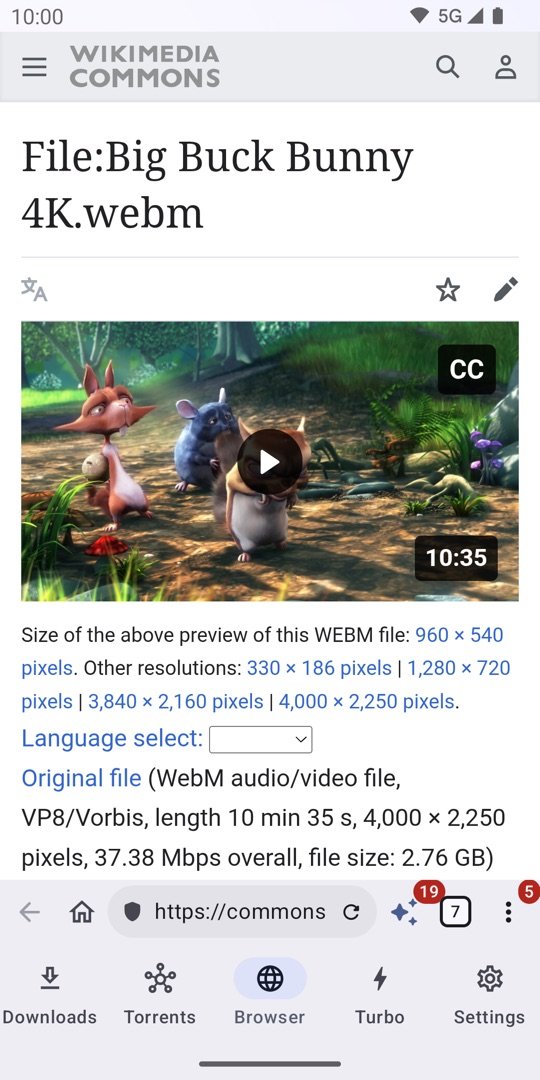
A web page open in Aero Glide with the shield counter and the sparkle badge in the address bar
A page in Aero Glide
Found on this page sheet listing videos found on a Wikimedia Commons page with AI pick, All and Video filters, Select all and a Download 2 button
Found on this page
The built-in video player playing a file while it downloads
Playing while it downloads
Torrent screen with download and upload speed, seeds and peers, time left and a pieces map
Torrents with a pieces map
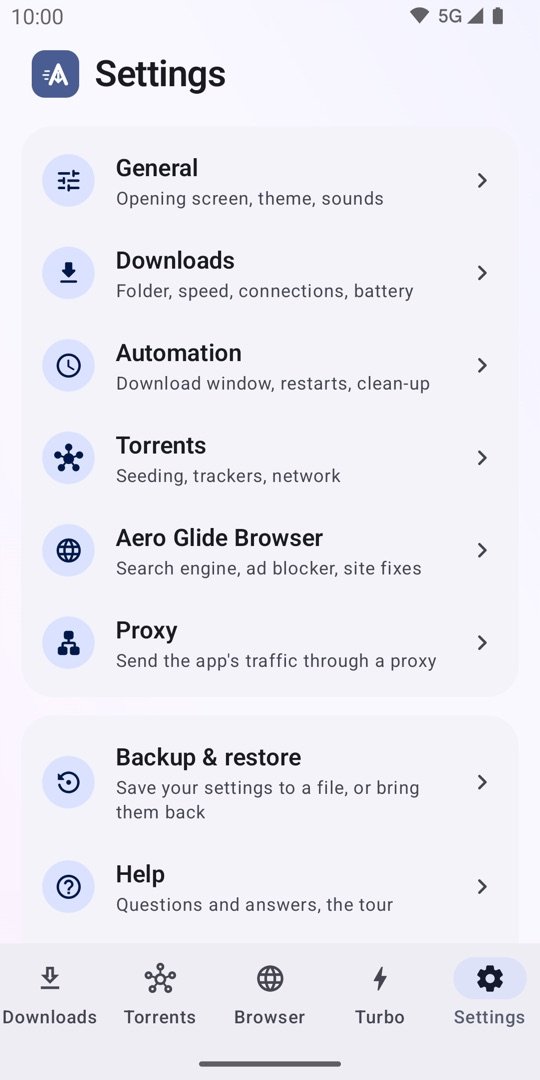
Settings in groups: General, Downloads, Automation, Torrents, Aero Glide Browser, Proxy, Backup and restore, Help
Settings in groups

Questions

Quick answers

More in the guide's troubleshooting section.

Is Aero Downloader free? What's the catch?
It is free, with every feature included. There are no ads, no sign-in and no paid tier. Up to 32 parts per file and as many downloads at once as you like, without an upgrade.
How much mobile data does Turbo use?
Only what you allow. Turbo is off until you turn it on. Set a daily budget in the Turbo tab; when it is used up, downloads carry on over Wi‑Fi only. Turbo never runs while roaming unless you switch that rule off.
Why isn't Turbo faster on my phone?
Some servers are the bottleneck themselves, so adding a second link gains nothing. Run the speed test in the Turbo tab: it measures Wi‑Fi alone, mobile alone and both together, and tells you the real gain.
Can it download from YouTube?
No. Google Play holds apps to YouTube's rules, so Aero doesn't download from YouTube, block its ads or play it in the background.
Where do my files go?
In the phone's Downloads folder, under Downloader, or a folder you choose. Files saved to the private folder stay inside the app and never show in the Gallery. The Files screen lists everything by type and can open or share a file.
Does the ad blocker work in Chrome or other apps?
No. It covers only pages inside Aero Glide, the app's own browser. It drops requests to known ad, tracker and crypto-miner hosts and hides common ad boxes. It never touches other apps.
Which phones does it run on?
Android 7.0 and newer. Material You colours need Android 12. Picture-in-picture video needs Android 8. The app is in English and Hindi.

Ready when your next big file is.

Free on Google Play. No ads, no sign-in. Please download only files you have the right to download.

Get it on Google Play